
Playing PixelPuck offline
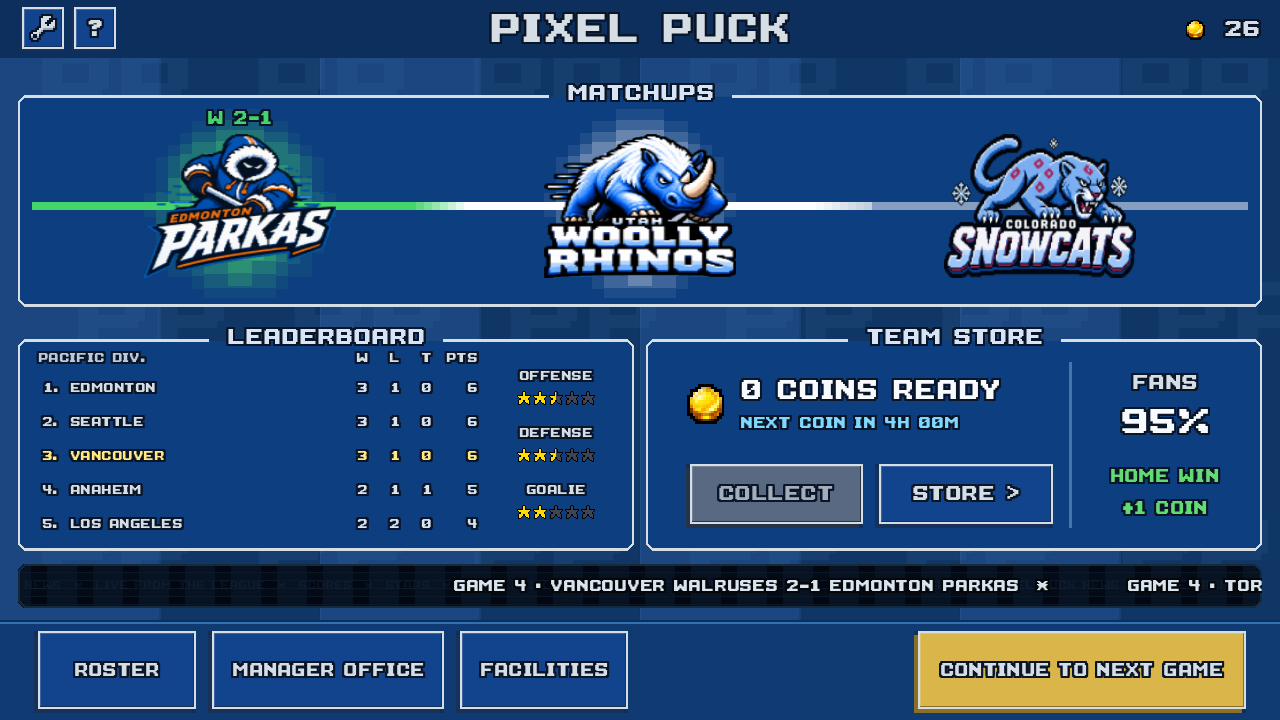
Yes. Matches and franchise play work offline in the current game. Your progress is saved on your device. You need an internet connection to install or update PixelPuck.
On your device
What needs a connection?
| Activity | Connection |
|---|---|
| Play a match | Works offline |
| Progress through a season | Works offline |
| Save and load progress on this device | Works offline |
| Install the game | Connection needed |
| Download an update | Connection needed |
| Open support links or send email | Connection needed |
| Send an in-game problem report | Connection needed |
| Deliver optional diagnostic reports | Connection needed |
Reporting is available in builds configured for diagnostics. It is optional for gameplay.
 View full size
 Before you head out
- Finish installing or updating. Do this while you have a connection.
- Open the game. New Game leads to a save slot and the frozen lake introduction. The introduction is included in the app.
- Check your franchise. If you have already started one, open your save before you leave.
You do not need a PixelPuck account or automatic diagnostics to play.
Local progress
Your save stays on this device
There is no in-game cloud sync or account-based save transfer. Progress is stored on the device, and deleting the app may remove it. Contact support before deleting the app if you have a save problem.
A local save is not a copy on another device. You do not need to reconnect for the game to save your progress.
Read the save and recovery guide for help with your save. Contact PixelPuck support if something is wrong.
Single player
Who do I play against?
The current game is single-player. You control your team against computer opponents. Online and local multiplayer are not included.
See real gameplay and the touch controls. You can also look through the franchise screens to see what managing a club involves.
What about price and ads?
The release price has not been announced. The current development build has no ads or in-app purchases. Pricing and purchase details will be confirmed before the public release.
Optional reports
Does offline mean no network use?
No. Gameplay works offline, but the app can use a connection for optional diagnostics and problem reports.
Automatic diagnostics are off by default. In a configured build, you can choose to turn them on in Settings → Help & Diagnostics. They are not required for any gameplay feature.
Sending an in-game problem report needs a connection. If delivery fails, the report is not saved to disk or retried automatically. Check the result shown in the form before closing it.
Offline play does not mean no data is collected. Read the privacy policy and privacy choices for diagnostics and testing details.
Release and testing
PixelPuck is in development for iPhone. There is no public App Store release date yet. You can email the developer about future testing opportunities. Android is planned, with no release date announced.
Email about testingOpens your email app.