Before you release the puck, look at the lane to the net and the highlighted teammate. A pass or a few strides can give you a different shot. These replays show what changes.
With the puck
A quick reminder
Aim with the right thumb
These controls apply when your selected skater has the puck. Use the left side to move.
Pull away from where you want the puck to go. Follow the dotted aim guide, then lift your thumb to release.
Tap left while holding aim
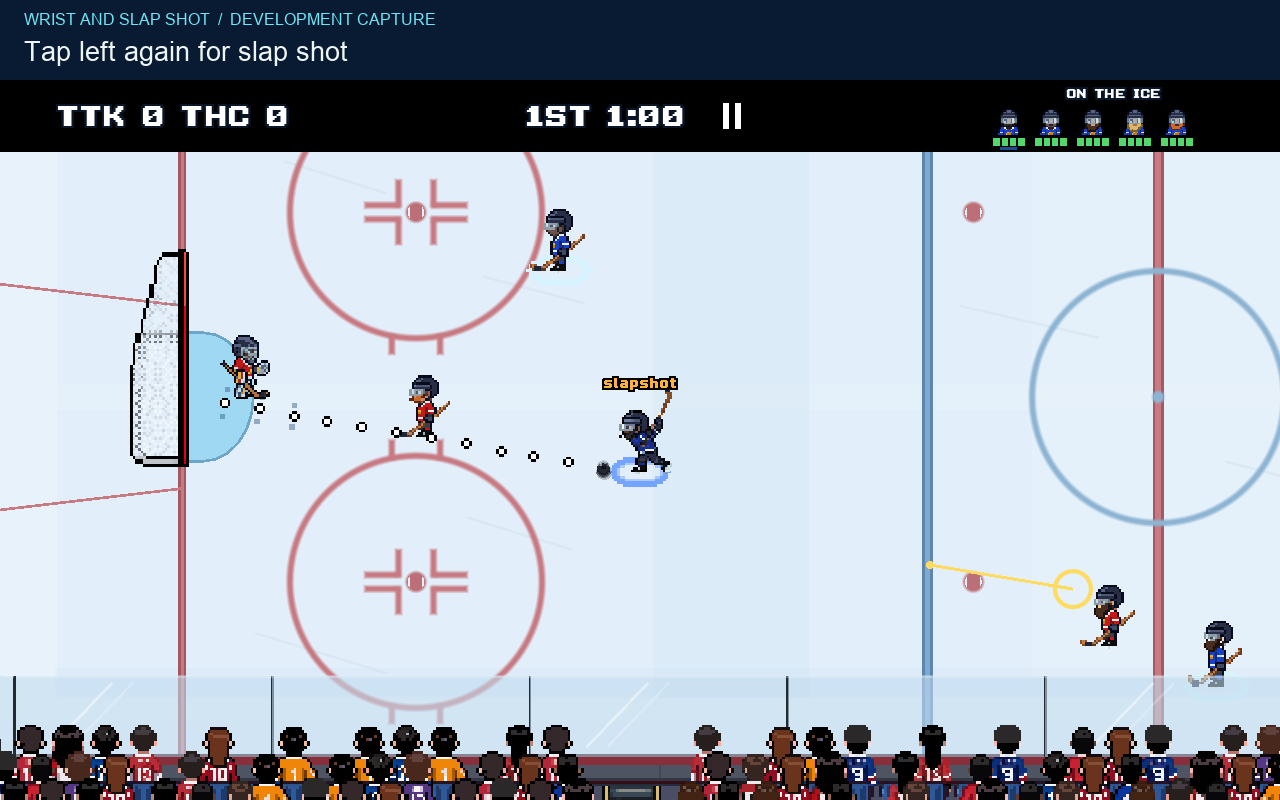
Switch between wrist and slap shot. Each new aim starts in wrist mode.
Read the lane
One setup, three choices
There is a defender between the puck carrier and the left goal. Compare the direct shot with a pass or a change of position.
Staged practice with sample teams in a development build. The same starting positions and ratings are used in each replay. Defenders are held in place so you can compare the lanes. These are examples, not scoring odds.
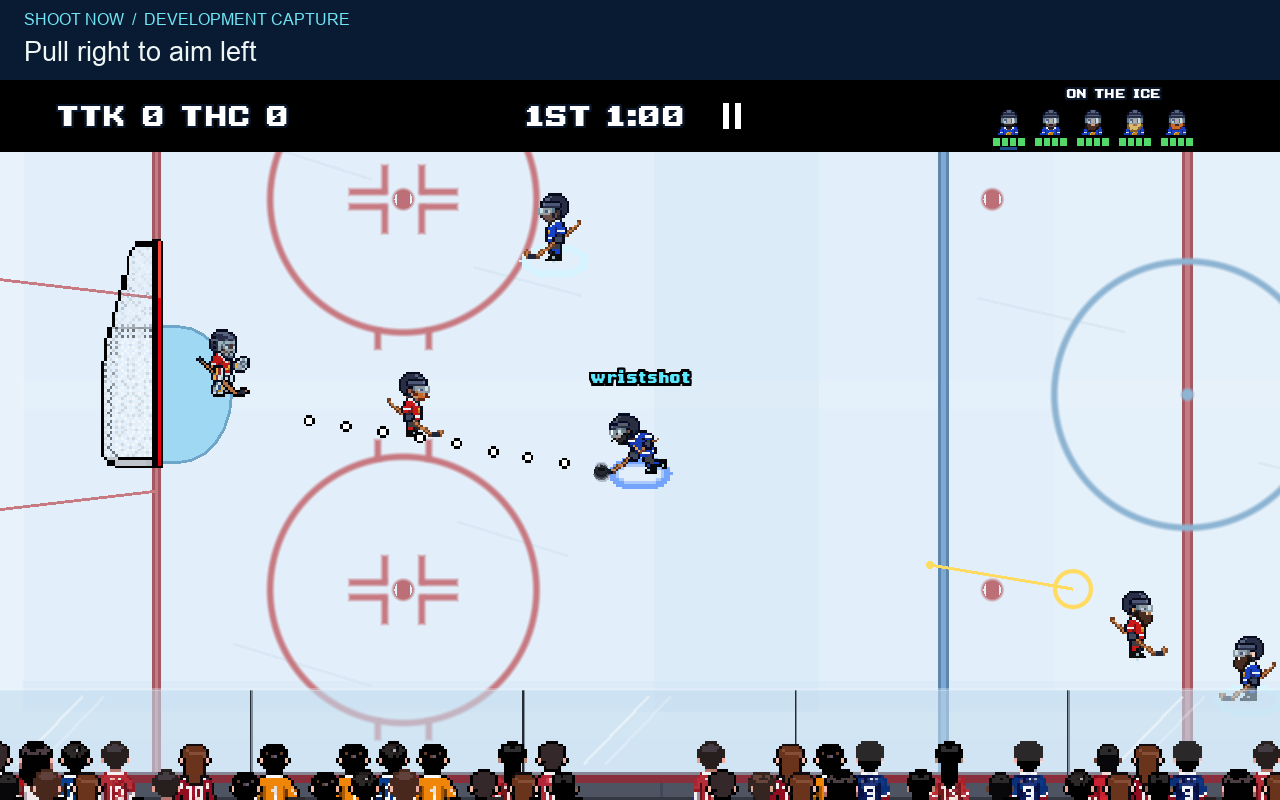
The carrier aims at the left goal from below the middle of the rink. The wrist shot hits the defender in that lane and rebounds away from the goal.
The video could not play. Use the still and description below, or open the video file.
View the freeze frame
01 / Shoot now
A quick release still needs a lane
The defender blocks this wrist shot and the puck rebounds away from the goal. The dotted line shows your aim, so check who is standing along it.
Take the shot when the lane is there. If a defender is in it, check the pass before committing to the release.
Look for: the space between the puck and the goal, not just the goal itself.
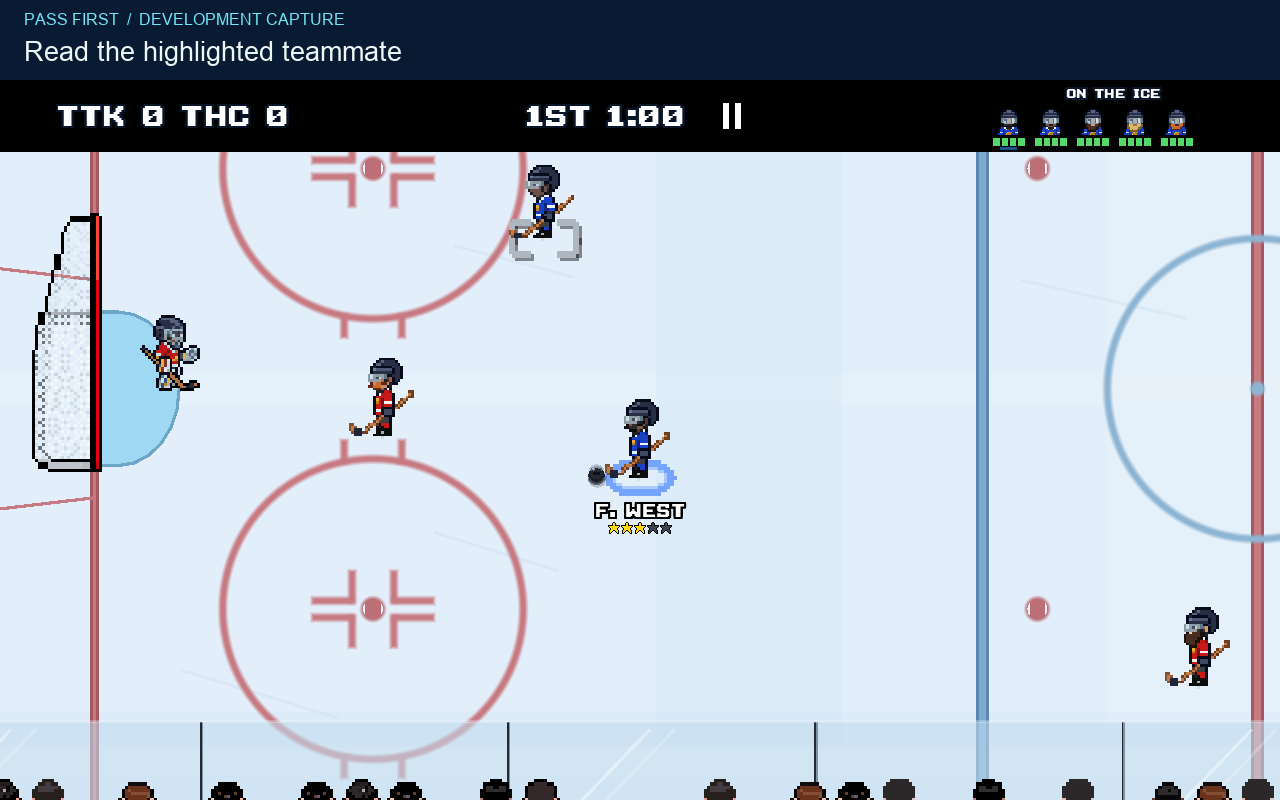
From the same setup, a right tap sends the puck to the highlighted teammate above the carrier. That player shoots past the defender from a new angle. The goalie saves it.
The video could not play. Use the still and description below, or open the video file.
View the freeze frame
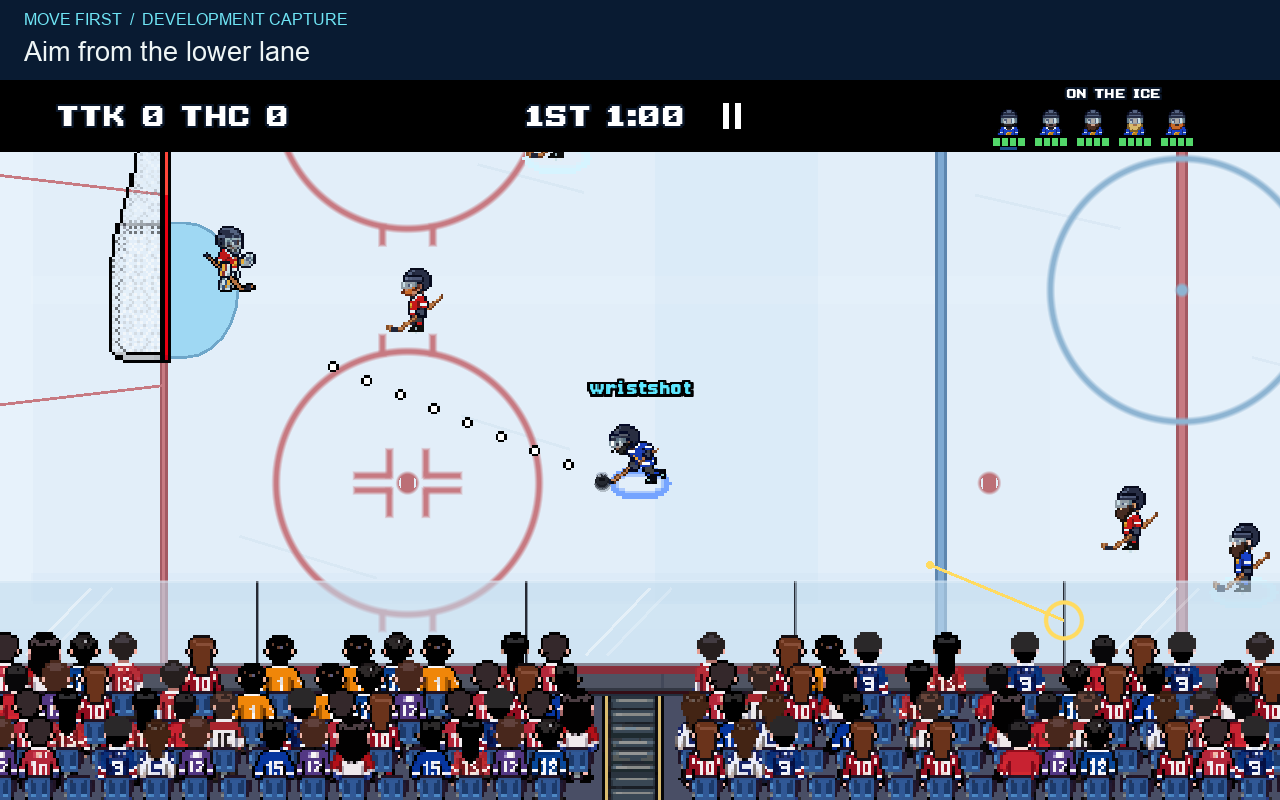
03 / Move first
Keep the puck and change the lane
The carrier moves down and shoots below the defender. The puck reaches the goalmouth. Finding that lane takes time while you still hold the puck.
In a match, defenders move too. Watch the new lane as you skate and aim, rather than assuming it will stay open.
Look for: usable space beside the defender before you start the shot.
Choose a replay, then press play. Yellow marks show the recorded touch and drag. Cyan rings show a lifted finger. Each silent clip has a freeze frame and a text description. Use fullscreen for a closer look.
Aim and release
Wrist shot or slap shot?
The wrist shot releases sooner. The slap shot sends the puck faster at the same drag length and ratings, but takes a longer swing before contact.
Use the space you have
Wrist shot: use the shorter release when you already have a lane and want to get the puck away.
Slap shot: leave room for the swing. Extra puck speed does not make an obstructed lane clear.
Drag farther from your starting touch to increase release strength, up to the limit. Holding aim longer does not keep adding power.
Aim starts in wrist mode. Keep the right thumb down and tap the left side to toggle. Tap left again to switch back. Lift the right thumb to start the release animation.
The carrier holds the same aim. Three left taps change wrist to slap, back to wrist, then to slap again. The final release uses the slap shot swing.
The video could not play. Use the still and description below, or open the video file.
View the freeze frame
Read the receiver
The highlight follows the situation
A right tap uses the game's current choice. That choice weighs the room around the passing lane, the distance to the teammate and the teammate's position and role.
Moving the carrier, a teammate or a defender can change the highlight. Check it again before passing. It shows the intended receiver, not a promise that the pass will get through.
You can aim a pass too
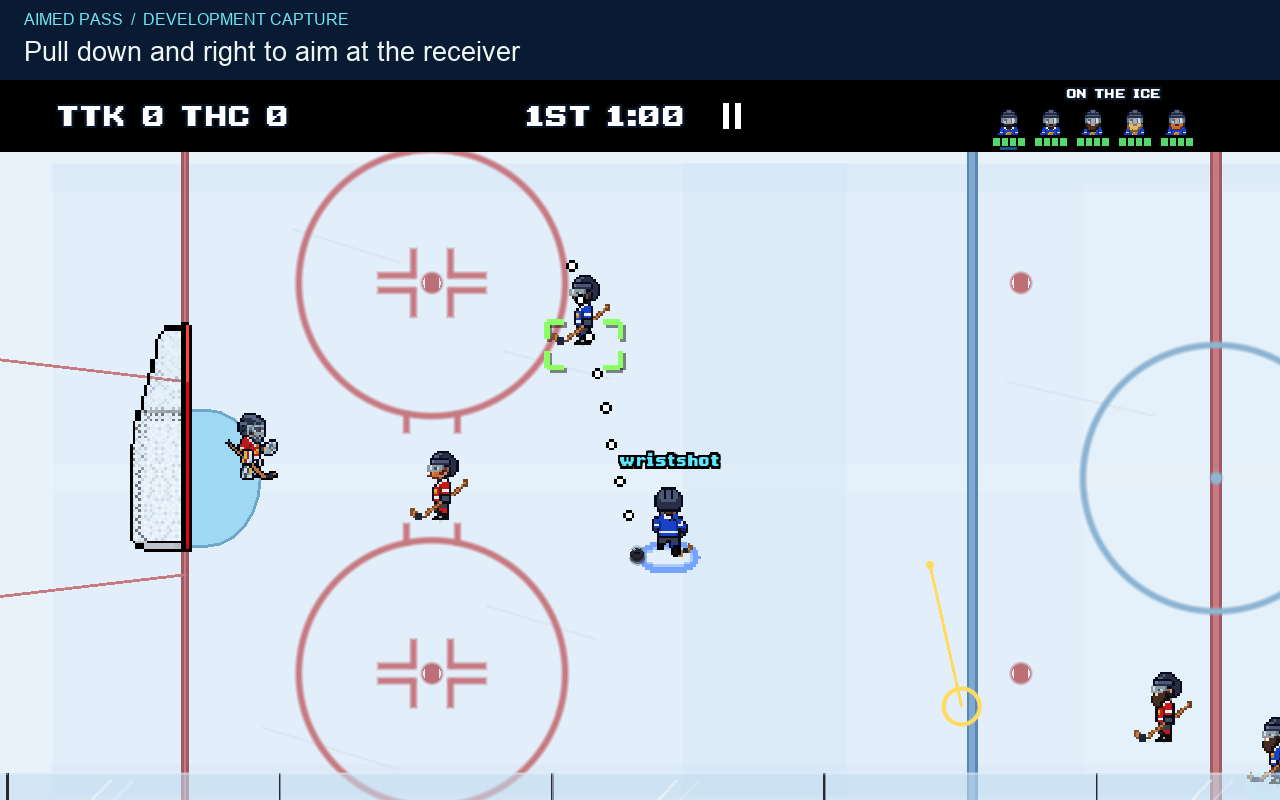
Drag the dotted guide toward a teammate to select a receiver along that path. A brighter green lock marks a pass the game currently judges reachable through a clear lane. A selected receiver can still have a difficult pass.
The game leads moving receivers toward a catch point. The puck still has to travel there, and pressure or a change in position can spoil the play.
The carrier pulls the right touch down and to the right. The aim points up and left at the teammate, whose target marker lights up. Releasing sends a pass to that teammate.
The video could not play. Use the still and description below, or open the video file.
View the freeze frame
What the ratings change
Accuracy and power do different jobs
Accuracy
Higher Accuracy narrows the possible error around your aim for shots and passes. Speed, turning and nearby opponents can widen that error. Short passes get less spread than long ones.
A clear lane and a calmer release help you use the rating. Accuracy does not choose an open corner for you.
Power
Higher Power increases outgoing shot speed and reach. Shot mode and drag length also affect the release. The wrist shot uses less power than the slap shot.
The Speed attribute changes release timing as well as skating. It is not another puck power rating.
PixelPuck is in development for iPhone. There is no public App Store release date yet. You can email the developer about future testing opportunities. Android is planned, with no release date announced.